 Snow Rider Neo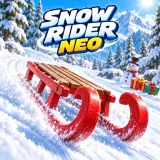
Snow Rider Neo

Snow Rider Neo
Play on Snow Rider Neo Ski King
  Ski It
 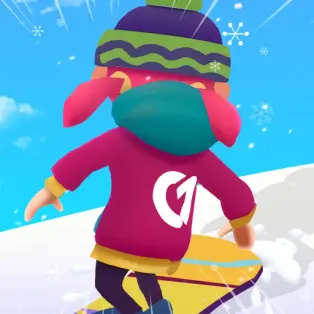 Snowboard Game Party
 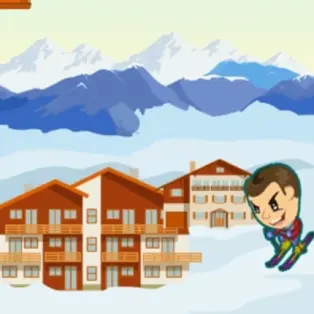 ZigZag Ski
 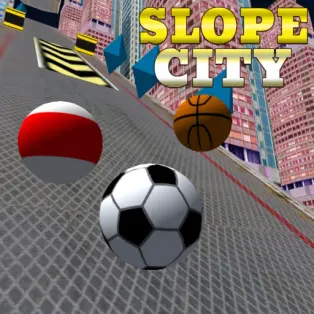 Slope City
 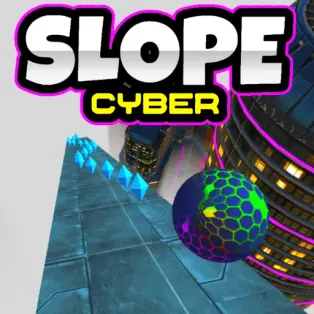 Slope Cyber
 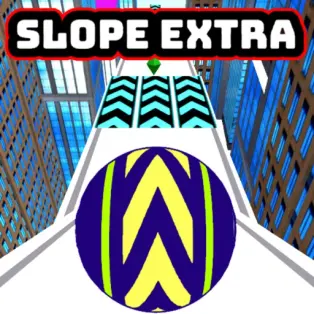 Slope Extra
 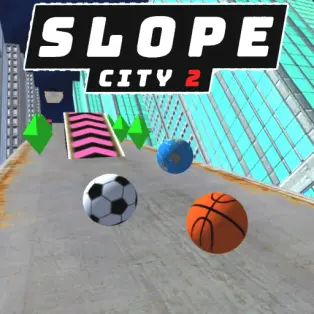 Slope City 2
 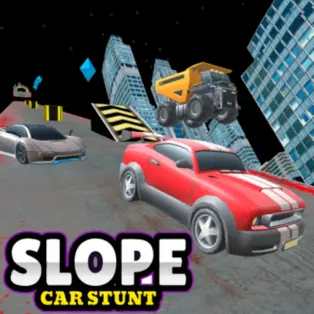 Slope Car Stunt
 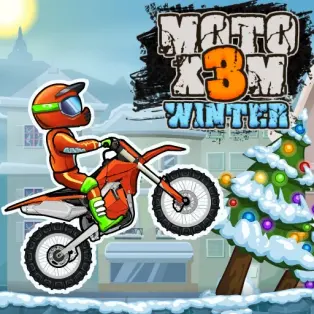 Moto X3M Winter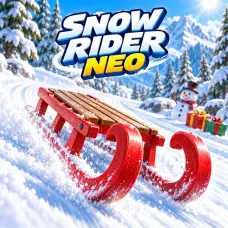
Snow Rider Neo
Steer a sled through snowy forests, jump over logs and gaps, and collect gifts. Choose your sled and chase a new downhill distance record.
The video could not load. Open video directly
Snow Rider Neo playthrough
Watch the Snow Rider Neo playthrough to see the game in action, then return to the game to try it yourself.
How to play
Desktop: Use Left/Right Arrow keys or A/D to steer. Press Space, Up Arrow or W to jump. Press Esc or P to pause/resume. Mobile: Hold the on-screen left/right buttons to steer and tap JUMP to jump. Tap the pause button to pause.
About this game
- Devices
- Desktop, phone, and tablet
- Categories
- Arcade Games
- Added to Snow Rider Neo
- Page updated
- Rating
- 4.3
Related categories
More games to play
Snow Rider Neo: controls, jumps, sleds, and longer runs
Guide updated
What is the goal?
Snow Rider Neo is a 3D endless sledding game through snowy forests and mountain slopes. Your main target is distance: stay clear of hazards and improve your best run. Trees, rocks, snowmen, and rolling snowballs obstruct the route. Logs and gaps call for well-timed jumps, while ramps change the shape of your approach. Weather can shift from clear skies to snowfall and blizzards during the descent.
Gifts provide a second goal by unlocking paint finishes. There are three sleds with different handling, so finding one you can steer consistently is part of learning the game. A new paint finish changes the look; the provider does not describe paint as a performance upgrade.
Desktop and mobile controls
| Action | Keyboard | Mobile |
|---|---|---|
| Steer left or right | Left/Right Arrow or A/D | Hold the left/right buttons |
| Jump | Space, Up Arrow, or W | Tap JUMP |
| Pause or resume | Esc or P | Tap the pause button |
Start the player, then click or tap inside the game if it does not receive input. Choose one steering pair and one jump key for your first attempts. Switching between equivalent keys mid-run adds a decision that does not help you avoid a tree. On a phone, position your hands so you can steer and reach JUMP without covering the center of the course.
A useful plan for your first three runs
- Learn the steering. Use the first attempt to judge how far a brief input moves your sled. Favor open snow and let awkward gifts go.
- Practice a deliberate jump. On the next attempt, watch a log or gap as it approaches. Line up before jumping, and look for safe snow beyond it.
- Combine the two. Keep your turning small, jump only when the route calls for it, and compare the distance with your earlier attempts.
You do not need to memorize an entire mountain. Focus on a short sequence: the safe space in front of you, the next obstacle, and the place you want to reach after clearing it. Looking only at the sled leaves very little time to react.
How should you approach logs, gaps, and ramps?
A jump needs both a takeoff plan and a landing plan. If a tree stands beyond a log, simply clearing the log may still leave you in trouble. Steer toward the open landing area before you commit. When learning timing, change one thing on each retry: begin the jump a little earlier or later instead of also changing the entire approach.
Treat ramps as changes in the route, not a reason to stop watching it. Continue looking ahead as the sled leaves the surface. Avoid adding a large last-second turn just because the ground drops away; that correction can leave you aimed at the edge of the safe landing space.
Which hazards deserve extra room?
Trees and rocks occupy a fixed part of the visible route. A rolling snowball also changes position, so aim for where the opening will be as you arrive. Leave a wider margin around moving hazards while you learn their motion. Snowfall and blizzards make early observation more valuable: choose the clearest visible opening rather than committing to a narrow route you cannot yet read.
If you keep swerving from one hazard into another, try shorter steering inputs. The aim is to clear the obstacle, not cross the whole slope. Once you have a safe line, release the correction and reassess what is coming next.
Gifts, sled selection, and a better distance
Collect gifts when they fit your safe route. Crossing in front of a snowball for one gift trades a longer attempt for a pickup, which is usually unhelpful when you are practicing distance. Try separate runs for collecting and for survival so you know what you are trying to improve.
Test the three sleds on ordinary turns before deciding which handling you prefer. Keep the same sled for several practice attempts; changing equipment after every crash makes it harder to identify whether your input or the handling caused the problem. The provider does not publish a numeric handling table, so there is no verified universal best sled to recommend.
Common questions
Can I pause? Yes. Use Esc or P on desktop, or the pause button on mobile. Pause inside the game before leaving the player if you intend to continue.
Is there a finish line? This edition is described as endless. Use your best distance as the goal rather than looking for a final level.
Does every similar game have a jump button? No. Many downhill ball games only list steering controls. Check each game’s instructions when you switch.
Gameplay and control facts were checked against the GameMonetize listing for Snow Rider Neo on September 11, 2026. The practice plans above are suggestions for learning those mechanics.
Play Snow Rider Neo and find your next downhill game
Start with Snow Rider Neo above: steer through the forest, clear a gap, and see how far you can take your sled. This collection brings together 11 browser games, with Snow Rider Neo at the center and ten alternatives chosen for snowy slopes, quick steering decisions, or obstacle timing. Every game has a detailed guide below its player and recommendations.
Stay on the snow
Choose Ski King for flag gates and timed routes, or Ski It for a survival score built by avoiding trees and stones. Snowboard Game Party turns the slope into a race with opponents, while ZigZag Ski focuses on weaving between hazards. Moto X3M Winter adds a different challenge: snowy motorcycle courses where the angle of your landing matters as much as the approach.
Try the same steering challenge on a different surface
Slope City and Slope Cyber trade the sled for a rolling ball. Their appeal is the familiar decision to move left or right before the safe route disappears. Slope Extra uses mouse movement, Slope City 2 adds a redesigned map and a shop, and Slope Car Stunt puts a car on connected downhill platforms.
Choose a game by its controls
Snow Rider Neo supports keyboard steering and jumping, plus explicit touch buttons. Slope Cyber and Slope City 2 offer keyboard steering and mobile swipes. The click-or-tap ski games use their own on-screen prompts. Read the individual guide before switching: the jump key in Snow Rider Neo is not a universal control for the rest of the collection.
Browse all games when you want another run. Games load from their respective providers after you start the player and may contain in-game ads.